
Connect Bomi to Optum Pay for PES Support
By George Ruan • August 18, 2026
Last updated: August 18, 2026.
Do not add Bomi as a user on the practice’s provider account. Optum’s current instructions say a billing or practice-management service should use its own billing-service account. The practice connects that account from Billing Service Information instead of sharing credentials or creating a vendor user under the health care organization.
Optum uses several related names across its payment tools, including Optum Pay, Provider Payments Portal, and Payer Enrollment Services (PES). Use the workflow below to authorize Bomi as a billing service. If PES enrollment controls are not included after the connection, the practice administrator must complete the enrollment step or ask Optum how to authorize it.
Sections
What the Billing-Service Connection Does
Connects separate accounts. The practice keeps its health care organization account, and Bomi uses its own billing-service account and One Healthcare ID.
Authorizes access without credential sharing. The practice approves the association and can terminate or decline to renew it later.
Does not grant banking access. Optum says billing-service access to claim-payment information does not give the vendor access to the practice’s banking information.
May not include every PES enrollment control. Connecting Bomi is the correct vendor-access step, but the practice may still need to make an EFT or ERA enrollment change itself.
Before You Start
Confirm Optum Pay Premium. Optum’s 2026 FAQ says the practice must subscribe to Optum Pay Premium before a billing service can access its data. Review the current subscription terms and fees before enabling it; practices without Premium may not see or be able to use Billing Service Information.
Use a practice administrator. The person who administers the health care organization’s Optum Pay account must approve the relationship.
Confirm the practice record. Have the legal business name, TIN, and the NPI used for the payer enrollment available.
Use Bomi’s practice-specific contact email. If Optum cannot find Bomi in its billing-service directory, the portal can email Bomi an invitation to enroll.
Connect Bomi Through Billing Service Information
Sign in to the practice’s Optum Pay account. Use the practice administrator’s own One Healthcare ID. Never send Bomi that password or a multifactor-authentication code.
Open Billing Service Information. In the Optum Pay provider portal, select the Billing Service Information tab.
Choose Search/Add Billing Services. Search for Bomi by name and enter the effective date when Bomi should receive access.
Invite Bomi if it is not listed. Use the portal option to email the billing service and enter the practice-specific Bomi contact address. Bomi must complete its own billing-service enrollment before the accounts can be connected.
Approve the association. If Bomi initiated the request from its billing-service account, the practice administrator receives an Optum email and must approve the request to link the accounts.
Optum’s current FAQ shows the approved third-party billing-service workflow.
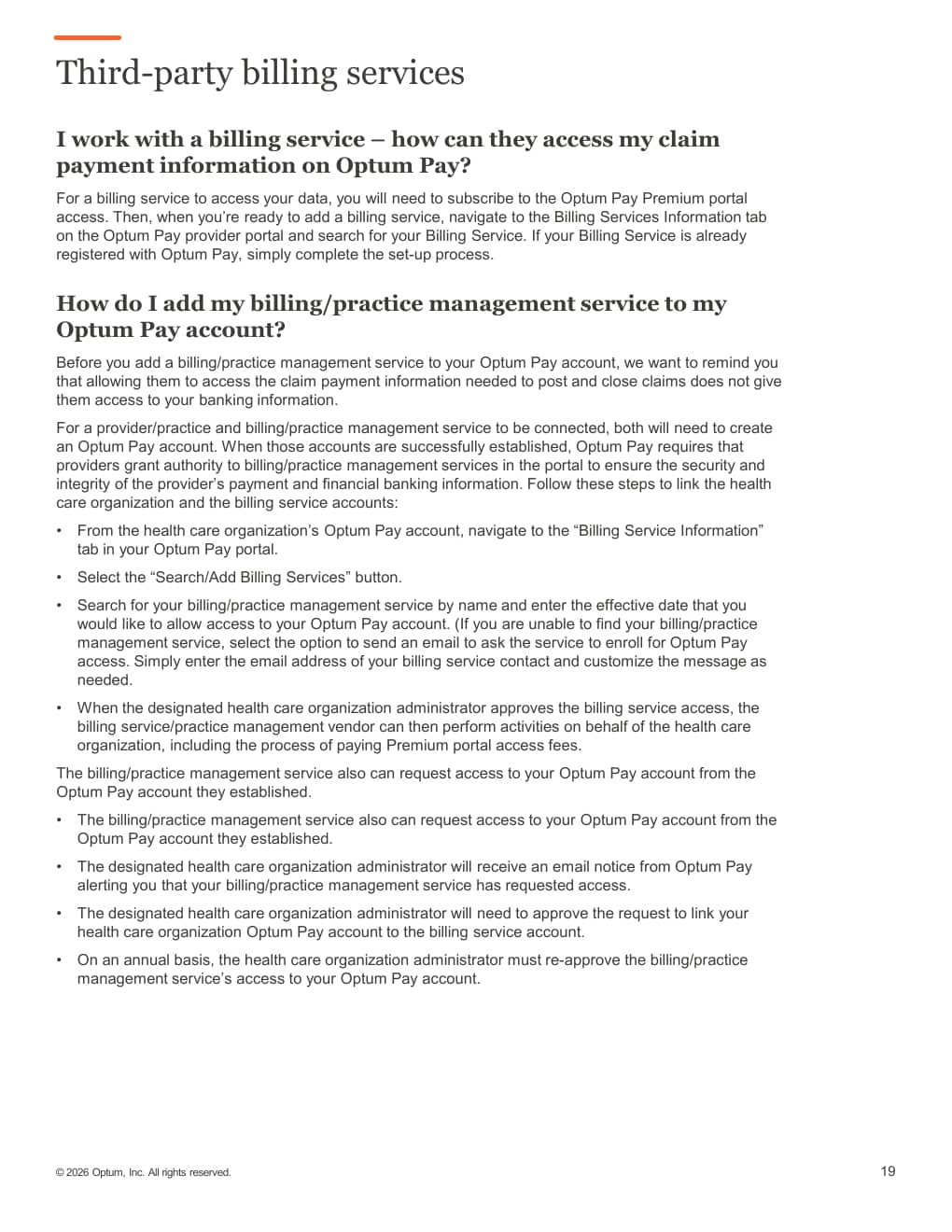
Screenshot source: Optum Pay Frequently Asked Questions, page 19. This is an unmodified page from Optum’s 2026 guide.
If Bomi Was Already Added as a Provider-Account User
Optum instructs practices to call the Optum Pay Provider Support Center at 1-877-620-6194, remove the billing-service contact as a user, have the service enroll through the billing-service process, and connect the accounts through Billing Service Information.
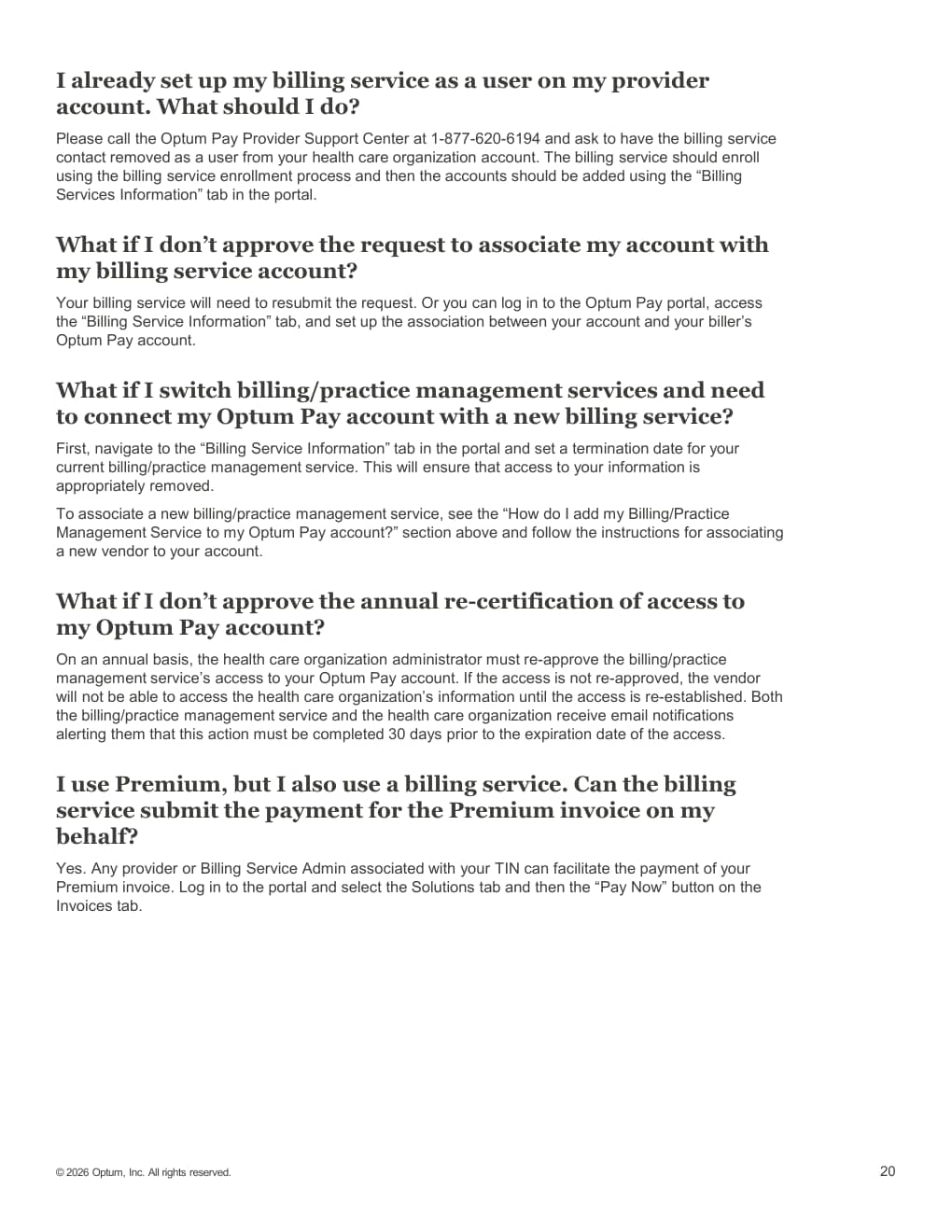
Screenshot source: Optum Pay Frequently Asked Questions, page 20. This is an unmodified page from Optum’s 2026 guide.
Finish a Payer Enrollment Services Blocker
Open the official Payer Enrollment Services site. Use Optum Payer Enrollment Services to review the practice’s existing EFT or ERA enrollment. Do not create a duplicate enrollment merely to grant access.
Verify the exact TIN and NPI pair. For a group practice, confirm that the Type-2 organizational NPI appears under the correct TIN. An EFT approval number alone does not prove that the payer can resolve that NPI association.
Ask Bomi whether the billing-service connection exposes the needed enrollment. If it does, Bomi can inspect the record within the authorized scope. If it does not, the practice administrator must make the requested correction or contact Optum PES support at 800-956-5190.
Do not create a vendor administrator as a workaround. Only add Bomi directly under the provider account if Optum support gives practice-specific instructions to do so. Record those instructions before granting access.
Connecting access does not repair an enrollment by itself. If a payer cannot find the practice’s Optum profile, the exact TIN and NPI still need to be present and approved in the enrollment record.
Identity and Security Checklist
Bomi uses its own person-specific One Healthcare ID and billing-service account; do not create a duplicate practice-scoped identity.
Do not send Bomi the practice owner’s Optum password.
Do not send authenticator codes or backup codes.
Confirm the legal business name, TIN, NPI, effective date, and Bomi contact email before approving the relationship.
Optum requires annual reapproval of billing-service access. End the relationship in Billing Service Information when Bomi no longer needs access.
Sources and Related Reading
Want Bomi to handle insurance billing?
Bomi helps therapy practices with benefit checks, claims, denials, balances, CAQH, attestations, and revenue management.
Talk to Bomi about billing