
Set Up Evernorth EFT
By George Ruan • July 15, 2026
Need Evernorth payments to land by direct deposit instead of paper checks? Bomi helps therapy practices keep EFT, ERA, and payment posting organized without sharing portal passwords or losing remittance detail.
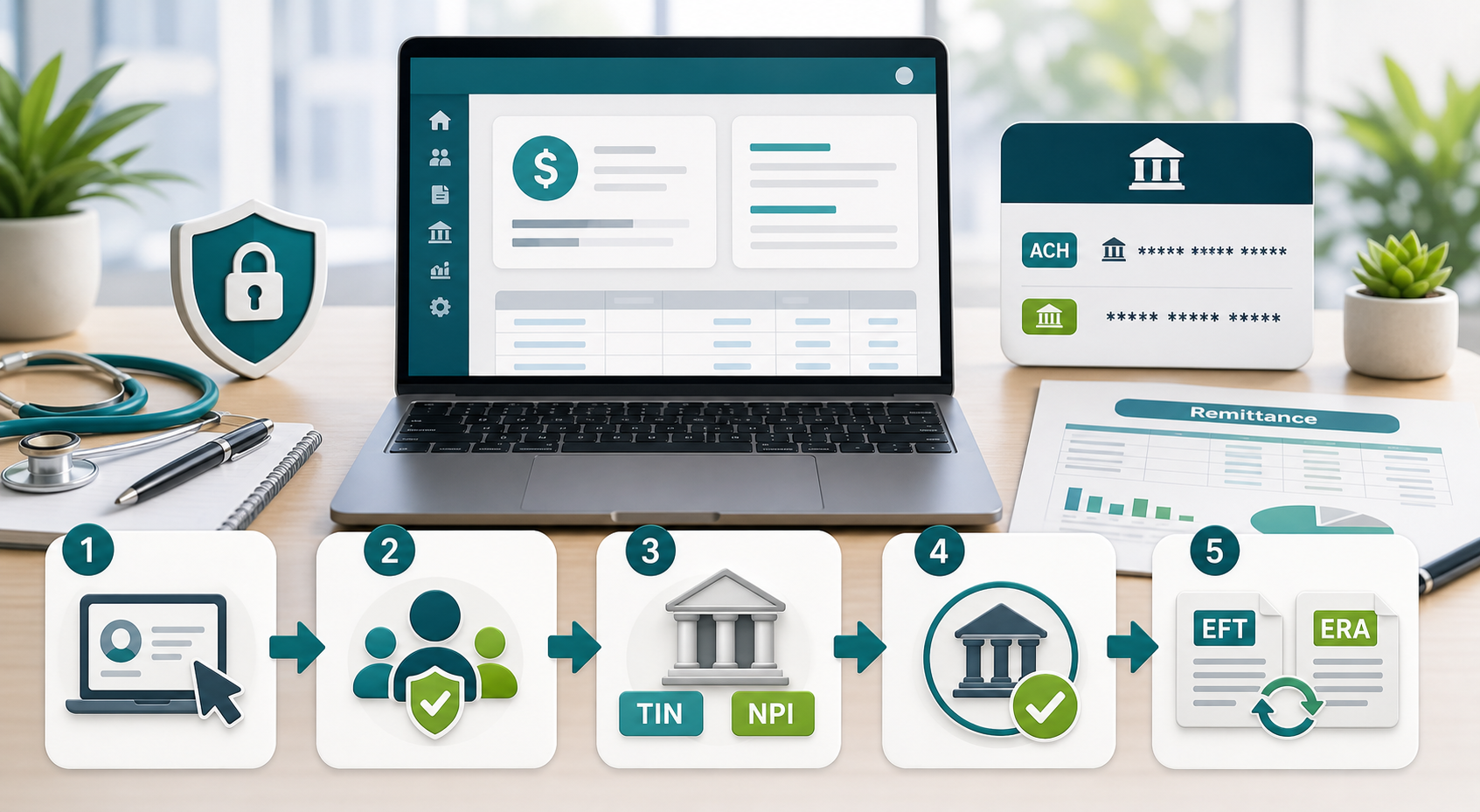
Original Bomi illustration. It is not an Evernorth screenshot and does not reproduce portal screens.
Quick answer: Evernorth behavioral health providers set up EFT by logging in to Provider.Evernorth.com and going to My Practice > Enroll in Electronic Funds Transfer (EFT) Options. After submitting the electronic form, Evernorth may send a pre-note transaction to verify the banking information. You can monitor the request or update bank, TIN, NPI, billing address, and payment-grouping settings from My Practice > Manage EFT Settings.
This guide is for behavioral health providers and billing teams that need to set up Evernorth EFT, connect ERA/835 delivery, and keep access delegated correctly. It is based on Evernorth's current provider resources and 2026 Behavioral Health Administrative Guidelines, plus a provider-owned workflow checklist for practices that work with an outside biller.
Sections
- What EFT and ERA Mean
- What to Gather Before You Start
- Step 1: Get the Right Portal Access
- Step 2: Grant Only the Access Needed
- Step 3: Submit the EFT Enrollment
- Step 4: Track the Pre-Note and Activation
- Step 5: Set Up ERA and Remittance Reports
- What to Give Your Biller
- Troubleshooting
- Provider Completion Checklist
- Related Billing Guides
- Sources
What EFT and ERA Mean
EFT is electronic funds transfer, the direct-deposit payment that moves claim reimbursement into the practice bank account. Evernorth describes EFT as its standard payment method for provider reimbursement.
ERA is electronic remittance advice, also called the 835. It explains how the claims inside a payment were processed, including adjustments, paid amounts, and patient responsibility. EFT gets the money into the account; ERA helps your billing system post and reconcile it.
The operational goal is to make the deposit and the remittance match. Evernorth points providers to a single remittance tracking number that can appear on the EFT report, the ERA TRN02 field, and the online remittance report. CMS describes the same reassociation concept: the EFT and ERA should carry matching tracking information so providers can connect payment to remittance.
What to Gather Before You Start
Portal owner: the Website Access Manager for the Taxpayer Identification Number, or the person who can register and establish one.
Practice identifiers: legal practice name, TIN, billing NPI or NPIs, payment address, and billing address.
Banking details: bank name, routing number, account number, and whether the account is checking or savings.
Payment grouping choice: whether payments should be grouped by TIN/payment address or, when applicable, by billing NPI.
ERA destination: the clearinghouse, EDI vendor, or practice management system that should receive 835 files.
Security rule: do not send portal passwords or full bank account numbers by ordinary email. The provider can enter bank information directly, or a Website Access Manager can approve a named billing user with the minimum entitlements needed to complete the work.
Step 1: Get the Right Portal Access
Start with Provider.Evernorth.com. Evernorth says behavioral providers can register either through a Website Access Manager or by self-registering. Registration uses the practice TIN, user profile information, login credentials, date of birth, and security questions. If the TIN does not already have a Website Access Manager, Evernorth says its team will contact the organization to set one up.
For billing-company workflows, every person should use their own portal login. Evernorth requires each registered TIN to have at least one Website Access Manager, and that manager grants, modifies, or removes user entitlements. That is the clean way to let a biller work without sharing the provider's credentials.
If the practice already has a Website Access Manager, ask that person to add or approve the billing user.
If nobody knows who the Website Access Manager is, Evernorth lists Internet Customer Service at 888.736.7499 for that question.
If the TIN has no Website Access Manager yet, Evernorth says the setup process can take up to 10 days; call the same Internet Customer Service number if it is still unresolved after that.
Step 2: Grant Only the Access Needed
The Website Access Manager should approve the billing user for the correct TIN and grant the specific entitlements needed for the job. For EFT setup, that usually means access to enroll or manage EFT. For payment posting, it may also mean claims status inquiry and remittance reports.
A subtle failure point: Evernorth notes that a Website Access Manager may only have access-delegation functions by default. If the manager also needs to submit or monitor EFT, they may need to assign the EFT entitlement to their own user profile before the menu appears.
Step 3: Submit the EFT Enrollment
Once the user has the correct TIN and EFT entitlement, use the portal path My Practice > Enroll in Electronic Funds Transfer (EFT) Options. Evernorth says the same portal area is where providers can complete the electronic form.
Choose the TIN. Confirm that the displayed TIN, payee, billing NPI, and payment address match the practice that should receive Evernorth payments.
Enter the bank information. Use the account authorized by the practice. Verify routing and account digits before submission, especially if the provider uses multiple business accounts.
Review payment bulking. Evernorth allows payment grouping by TIN/payment address or, for some setups, by billing NPI. This matters when one TIN has multiple billing NPIs or locations.
Submit and save proof. Save the confirmation page, reference number if shown, submission date, TIN, and the user who submitted the request. Keep this in the billing operations file, not in an inbox thread with bank details.
If the practice uses more than one TIN, Evernorth requires a separate EFT enrollment for each TIN. If the deposit account is a savings account, Evernorth tells providers to confirm that the bank supports EFT deposits.
Step 4: Track the Pre-Note and Activation
After the electronic enrollment form is submitted, Evernorth may send a pre-note transaction to the bank to verify the banking information. If the pre-note is not returned, Evernorth says EFT begins on the next payment cycle. If it is returned with errors, Evernorth contacts the provider to correct the banking information.
Use My Practice > Manage EFT Settings to check the application status, update settings, or submit a change request later. Evernorth lists four to six weeks as the typical EFT enrollment timeline, so do not assume a same-week claim payment will switch immediately.
Step 5: Set Up ERA and Remittance Reports
EFT and ERA are related, but they are not the same enrollment. EFT controls the deposit. ERA controls the electronic remittance file your billing system can post from.
For ERA, Evernorth tells providers to notify their EDI vendor, clearinghouse, or Post-n-Track, provide the enrollment information that vendor requires, and complete separate enrollment information for each TIN. Evernorth says it finalizes ERA registration within 10 business days after receiving the completed enrollment from the vendor, and ERAs may begin on the next payment cycle.
Online remittance reports are available through the portal when the provider is registered, enrolled in EFT, and has the needed claims-status access. Evernorth says providers can search by deposit amount, patient information, claim/reference number, or remittance tracking number, and can view claim detail inside the deposit.
What to Give Your Biller
If a billing company is helping, separate the provider-owned actions from the billing workflow. The provider should own authorization, bank selection, and access approval. The biller can help assemble identifiers, confirm the correct TIN and billing NPI, monitor status, and reconcile deposits once access is granted.
Give the biller their own named portal user, not your login.
Grant EFT and remittance entitlements only if the biller is authorized to perform those tasks.
Share masked bank details or have the provider enter full bank details directly in the portal.
After submission, share the confirmation date, TIN, and status notes without including full account numbers.
Confirm with the clearinghouse or EDI vendor that ERA/835 enrollment is complete for the same TIN.
Troubleshooting
The EFT menu is missing. Ask the Website Access Manager to add the EFT entitlement for the correct TIN, then have the user sign out and back in.
Nobody knows the Website Access Manager. Use Evernorth Internet Customer Service at 888.736.7499 to identify the manager for the TIN.
EFT is active but no 835 files arrive. Check ERA enrollment with the clearinghouse or EDI vendor. EFT activation alone does not prove ERA enrollment is finished.
Deposits are grouped incorrectly. Review the payment bulking preference under Manage EFT Settings, especially if the practice uses multiple billing NPIs.
The bank account, TIN, NPI, or billing address changed. Submit a change request through Manage EFT Settings before the next payment cycle creates avoidable reconciliation work.
Provider Completion Checklist
Portal access works for the correct TIN or TINs.
Website Access Manager is identified, with a backup manager if possible.
Billing user has an individual login and only the needed entitlements.
TIN, billing NPI, payment address, and bank account are confirmed.
EFT enrollment is submitted and proof is saved.
EFT status is monitored in Manage EFT Settings.
ERA/835 enrollment is submitted through the clearinghouse or EDI vendor.
First deposit is matched to the ERA or online remittance report by tracking number.
Related Billing Guides
Sources
Evernorth Online Remittance Reports and ERA provider resource
Evernorth Behavioral Health Administrative Guidelines, March 2026
Last reviewed July 2026. Portal labels can change; always verify the current path inside Provider.Evernorth.com before submitting bank or payment changes.
Want Bomi to handle insurance billing?
Bomi helps therapy practices with benefit checks, claims, denials, balances, CAQH, attestations, and revenue management.
Talk to Bomi about billing