
Give Your Biller Access to ProviderOne
By George Ruan • July 14, 2026
Last verified: July 14, 2026.
Do not give your biller the owner password. ProviderOne access should be delegated with a named user account and job-specific security profiles.
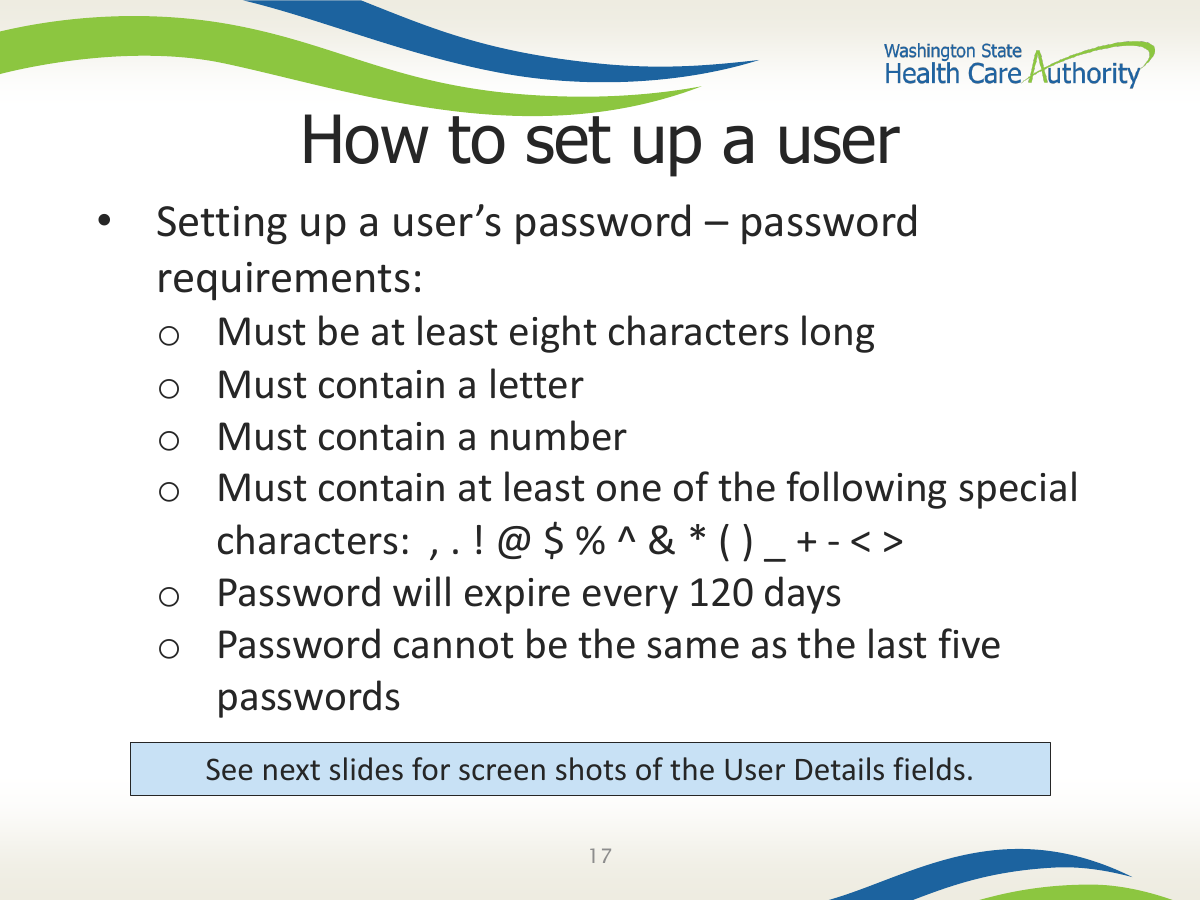
HCA’s public ProviderOne setup PDF says each person accessing ProviderOne must have their own user account and that generic or shared accounts are not HIPAA-compliant.
Short version: Your ProviderOne System Administrator should create a separate user for the biller and assign only the profiles needed for eligibility, claims, provider-file, or payment tasks.
Sections
What to do instead of password sharing
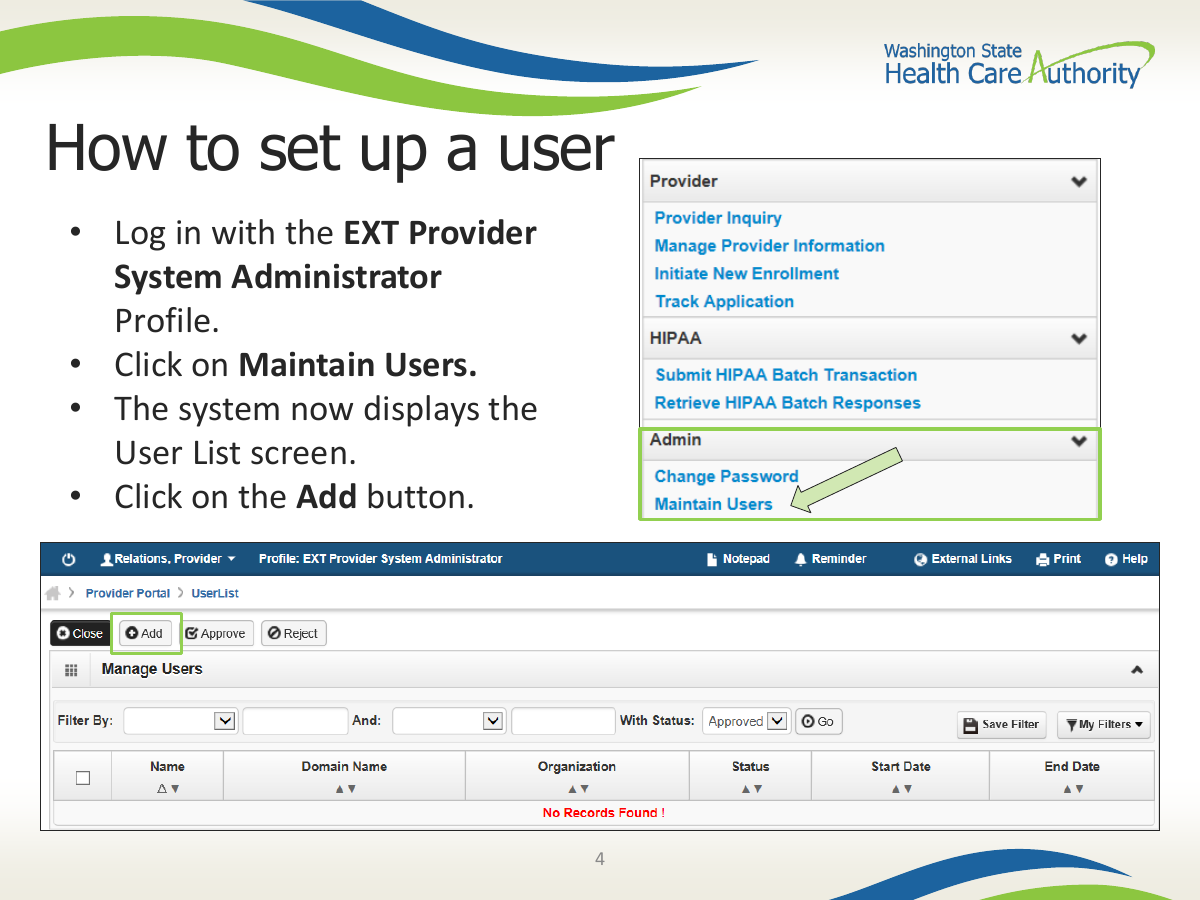
Have the ProviderOne System Administrator log in with the EXT Provider System Administrator profile.
Open Maintain Users from the Admin section and add the biller as a new user.
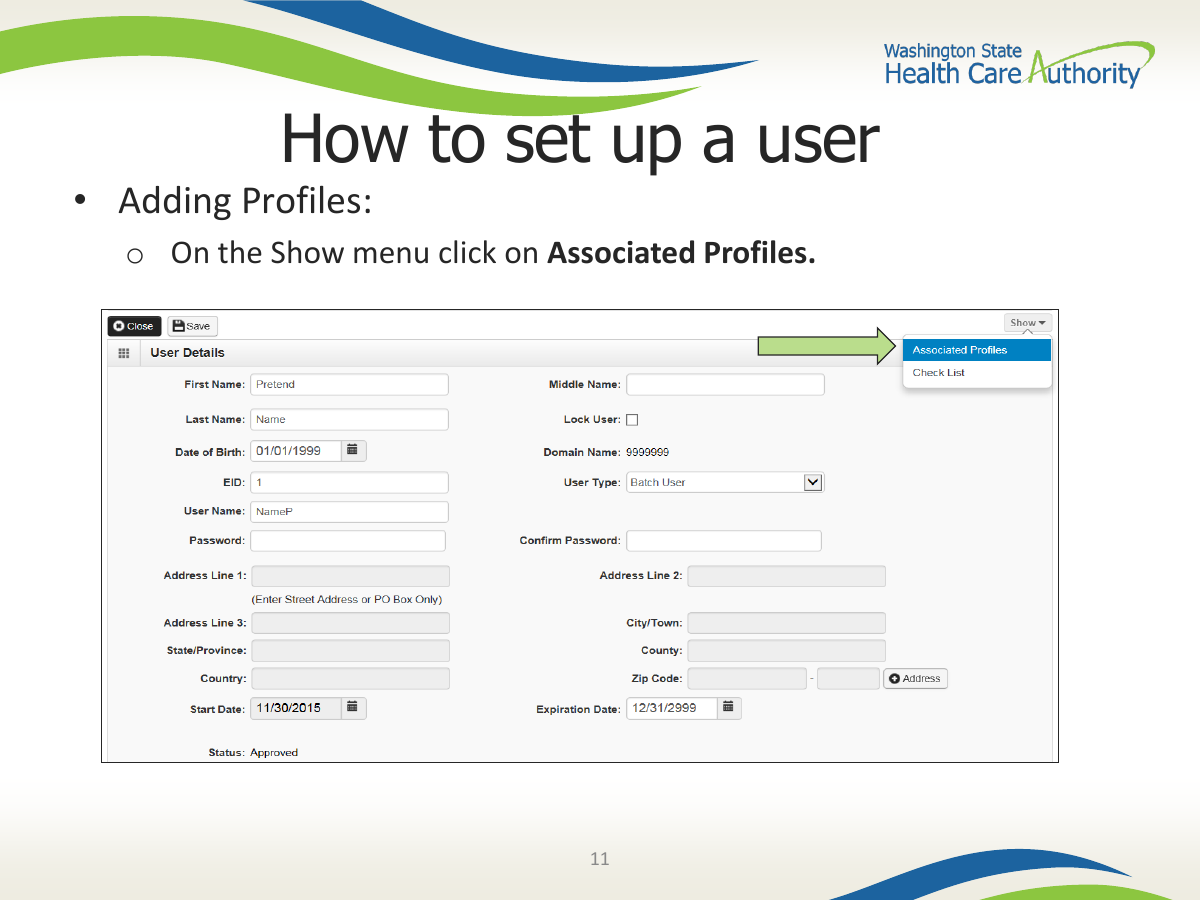
Approve the new user after the account is created.
Open the user details and assign only the profiles needed for the biller’s job.
Offboard by locking, end-dating, or removing access when the relationship ends.
Which profiles might a biller need?
Match access to the work. Eligibility checks, claim entry, claim inquiry, remittance advice, prior authorization inquiry, and provider-file maintenance are different permissions. HCA’s security profile PDF is the source to review before assigning broad access.
Eligibility-only work should not require provider-file maintenance.
Claim submission work may require claim-submitter functions.
Provider-file changes and EFT maintenance should be restricted to trusted roles.
Super User access is broad; use it intentionally, not by default.
Offboarding is part of authorization
A clean access process includes removal. If a biller leaves, a contract ends, or a staff member changes roles, review ProviderOne users and profiles immediately.
Step 1 — Use Maintain Users from the ProviderOne Admin section.
Step 2 — Open the approved user record before assigning profiles.
Step 3 — Add the security profiles that match the biller’s job.
Screenshot source: Creating users and adding profiles, Washington State Health Care Authority, ProviderOne training PDF, 2023.
Where Bomi Fits
Bomi helps therapy practices keep the operational layers aligned: HCA/ProviderOne enrollment, CAQH/DataSpring profile maintenance, MCO applications, portal access, eligibility checks, claim routing, denials, revalidation reminders, and first-paid-claim verification. The goal is not just an approval letter; it is billable access for the Apple Health members you actually see.
Operational note: This is general billing and credentialing education for Washington therapy practices, not legal, compliance, or payer-specific billing advice. Confirm current HCA, ProviderOne, CAQH/DataSpring, OneHealthPort, MCO, provider-manual, authorization, telehealth, and contract requirements before submitting enrollment, claims, or portal requests.
Related Washington Guides
Sources
Want Bomi to handle insurance billing?
Bomi helps therapy practices with benefit checks, claims, denials, balances, CAQH, attestations, and revenue management.
Talk to Bomi about billing