
Add Bomi as Your Biller in SimplePractice
By George Ruan • June 25, 2026
Once you add Bomi as a Practice Biller, we handle your claims, payments, and reports for you — so you can get back to seeing clients sooner.
To manage billing on your behalf, Bomi needs access to your SimplePractice account. The cleanest and safest way to grant this is to add Bomi as a Practice Biller team member. This role is purpose-built for billing partners: it gives Bomi exactly the access needed to manage your claims, payments, and reports — and nothing more.
Good to know: The Practice Biller role is free in SimplePractice — adding Bomi as your biller does not increase your subscription cost.
Sections
Before You Start
You need to be an Account Owner or Practice Manager. Only these roles can add or manage team members in SimplePractice. If that is not you, ask whoever owns your practice's account to follow these steps, or to add you as a Practice Manager first.
You will need Bomi's billing email. Use the email address your Bomi onboarding specialist gave you as the team member's email so the invitation reaches us.
Adding a team member requires the Plus plan. If you are on a lower tier, SimplePractice will prompt you to upgrade.
What the Practice Biller Role Can Access
Before you grant access, here is exactly what the Practice Biller role lets Bomi do — so you know precisely what you are authorizing. Practice billers have limited access to client profiles and can manage billing documents, payments, billing reports, and payroll for all clients. The role can also:
View the calendar
View client diagnoses
Add and update client contact and demographic information
View their own activity in the Account Activity log
Securely message clients and team members
What the role cannot do: it has no access to your SimplePractice plan and subscription settings, and it is a billing-focused role rather than a clinical one. Your clinical documentation stays under your control.
Step-by-Step: Adding Bomi as a Practice Biller
Go to your Team members settings. In SimplePractice, navigate to Settings > Team > Team members, then click Add team member.
Enter Bomi's profile details. Add a first name, last name, and the Bomi billing email your onboarding specialist provided, then click Continue. The email address must be unique to this account.

Choose the Practice Biller role. On the Choose roles screen, scroll to the Administrative roles section and select Practice Biller, then click Continue.
Important: make sure you select the standalone Practice Biller administrative role — not the "Billing" sub-option under the Clinician role. These are different. Bomi should be added as the Practice Biller.

Review permissions. SimplePractice shows the permissions that come with the Practice Biller role. You can leave these at their defaults — the standard Practice Biller access is all Bomi needs. Click Continue.

Send the invitation. Review the summary confirming the change to your plan (adding a Practice Biller is free), then click Send invitation.
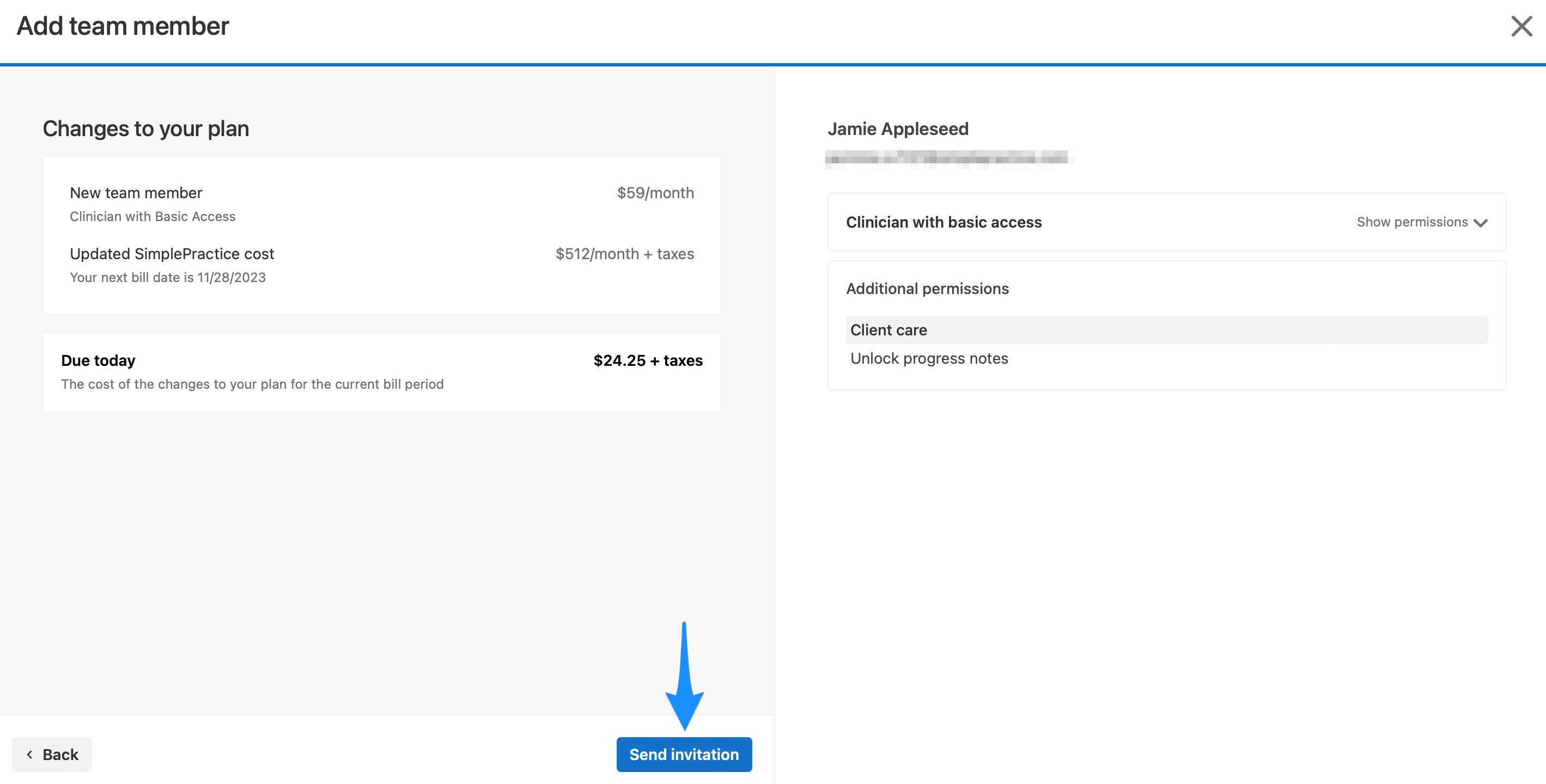
That is it. SimplePractice emails an invitation to the Bomi billing address, and our team accepts it to activate billing access. Once we are in, we take it from there.
What Happens Next
Bomi accepts the invitation and confirms access, usually within one business day.
We begin managing your billing: claims, payments, reports, and payroll, depending on your plan.
You retain full ownership of your account. You can review Bomi's activity anytime in Settings > Team > Team members, and adjust or remove access whenever you like.
For SimplePractice's own documentation on team members, see their help article: Adding and managing team members.
Want Bomi to handle insurance billing?
Bomi helps therapy practices with benefit checks, claims, denials, balances, CAQH, attestations, and revenue management.
Talk to Bomi about billing