
Give Bomi MN-ITS/MPSE Access
By George Ruan • August 17, 2026
Last updated: August 17, 2026.
Bottom line: Do not send Bomi your personal MN-ITS or LoginMN password. Your MN-ITS Primary Administrator or Secondary Administrator should create an individual MN-ITS user for George Ruan at [email protected], then assign Global Provider Enroller as the MPSE Service Agent Access Role. That is the role Bomi needs to manage the provider’s MPSE account or enrollment record.
This guide is for Minnesota Medicaid, also called Minnesota Health Care Programs (MHCP), enrollment work in MPSE. It is especially useful when a therapy group needs Bomi to file an MHCP roster addition or organization-to-individual affiliation.
DHS is explicit about the access model. Each MN-ITS user should have an individual user ID and password, and shared accounts should be replaced with individual identities. Bomi follows the same rule internally: we cannot use, store, or repeat a provider owner password just because it would be faster than setting up delegated access.
Sections
Who Can Grant Access
MN-ITS Primary Administrator (PA). The PA controls user access for the organization. DHS says the PA, not MHCP, controls access to the MN-ITS account.
MN-ITS Secondary Administrator (PPA). A PPA can create or update assigned user information and access. The PA may assign more than one PPA.
Ordinary MN-ITS User. A regular user can update only their own personal contact information. They cannot grant Bomi access.
What to Enter for Bomi
Because DHS requires individual access, do not create the login under a shared inbox like [email protected] or [email protected]. For this MN-ITS/MPSE delegation, create the user for:
First Name: George.
Last Name: Ruan.
Email address and Confirm email address: [email protected].
MN-ITS Role: MN-ITS User.
Provider NPI/UMPI: do not enter a Bomi NPI or UMPI. If MN-ITS or MPSE asks for one, use the provider or practice identifier already tied to the MHCP enrollment record. For Global Provider Enroller, DHS says the role is not restricted to one NPI or UMPI.
MPSE Service Agent Access Role: Global Provider Enroller. Affiliations Provider Enroller is narrower and fits only a one-off roster or affiliation task.
How Access Is Scoped
Think of this as a Bomi-side individual identity with practice-scoped permissions. George’s LoginMN username is Bomi-level because it uses his Bomi work email and can be added by more than one practice. The permission is still granted by your practice under your MN-ITS account and provider portfolio. DHS says that when one unique work email is associated with multiple NPIs or UMPIs, the user may receive one LoginMN registration email and then select from multiple NPIs after registration. That still is not a shared account, and each practice controls only its own MN-ITS access.
Create the Individual MN-ITS User
The PA or PPA performs these steps inside MN-ITS. Bomi does not need your password at any point.
The screenshots below are from DHS public training material, not a live provider account. DHS published the training video before the current LoginMN user-access update, so use the 2026 text steps for the exact current fields.
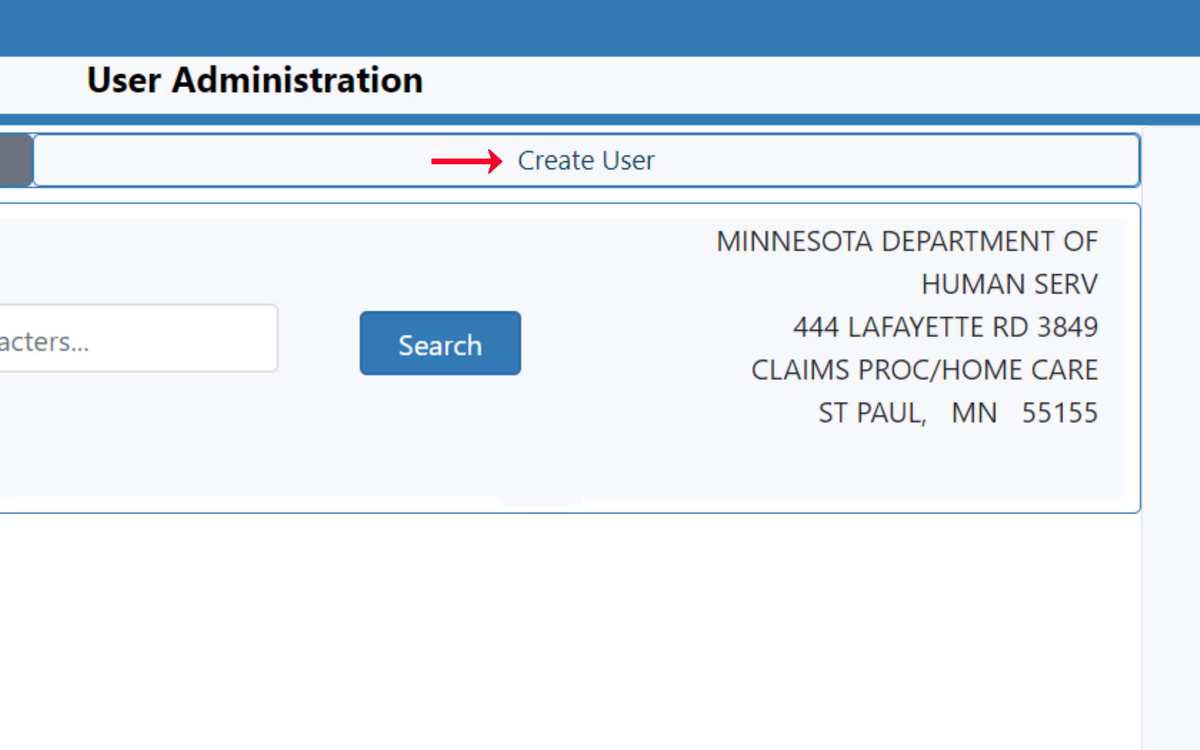
Screenshot source: DHS MN-ITS User Administration training video.
Log in through LoginMN. Open LoginMN, select the MN-ITS application, then work from MN-ITS.
Open User Administration. DHS gives the menu path as User Administration from the left menu.
Select Create User. Use this if George does not already have a user under your MN-ITS account.
Complete the required user fields. Enter [email protected] in Email address and Confirm email address; enter George for First Name and Ruan for Last Name; set MN-ITS Role to MN-ITS User; set MN-ITS Account Status to Active.
Leave SFTP disabled unless Bomi asked for it. SFTP is for batch transactions. Most enrollment and roster work does not require it.
Choose only the needed User Access. DHS lists MN-ITS Functions, Mailbox Folders, Applications/Forms/Lists, and Service Agent Access Roles (MPSE) as access areas the PA or PPA can allow or limit.
Assign the MPSE role. Under Service Agent Access Roles (MPSE), choose Global Provider Enroller. Do not enter a Bomi NPI or UMPI; if the screen asks for a provider identifier, use the provider or practice identifier shown for the MHCP enrollment record. Save at the bottom of the page.
Watch for confirmation. MN-ITS displays the newly created user ID, and LoginMN sends the Bomi user an email from [email protected] to finish registration.
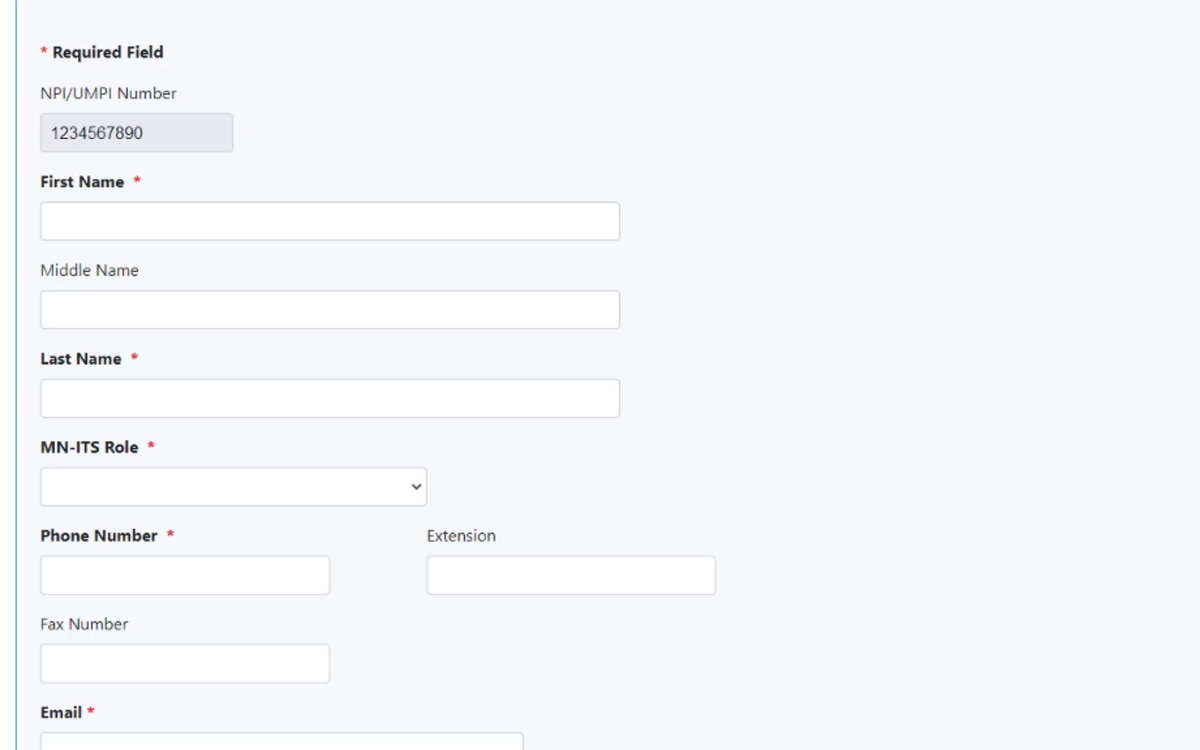
Screenshot source: DHS MN-ITS User Administration training video.
What Bomi Receives
After the PA or PPA saves the new user, Bomi should receive the LoginMN registration email at [email protected]. The screenshots below are cropped from DHS public LoginMN guidance, not from a live Bomi or provider MN-ITS account.
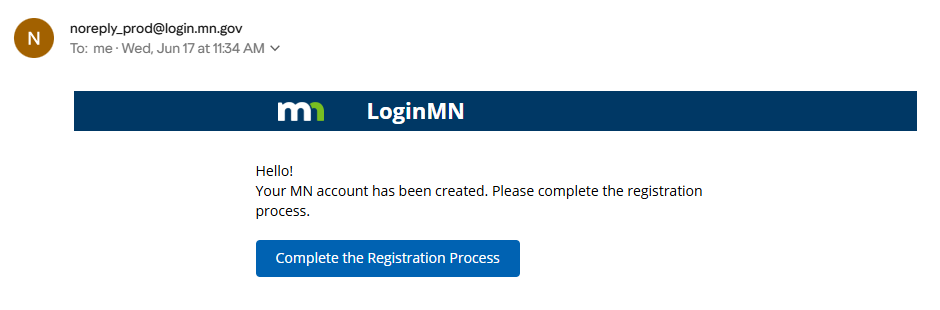
Screenshot source: DHS LoginMN Registration Steps to Access MN-ITS PDF.
After Bomi finishes LoginMN registration, DHS shows the Minnesota Partner Apps page where the user selects DHS MN-ITS to enter MN-ITS.
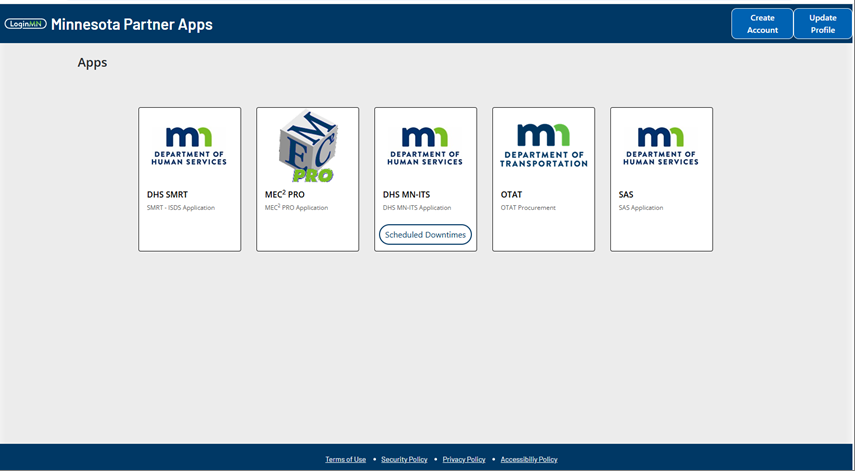
Screenshot source: DHS LoginMN Registration Steps to Access MN-ITS PDF.
If Bomi already has a user under your organization: use User Administration, search by last name, first name, user ID, or all, select the User ID, update the access, then Save. DHS says email addresses cannot be changed because the email is the LoginMN username; create a new user if the email is wrong.
Request Global Provider Enroller
For this Bomi access setup, request Global Provider Enroller. DHS says MPSE users can have only one MPSE role, and Global Provider Enroller is the role that can make any type of request, manage all enrollment records within a portfolio, and is not restricted to one NPI or UMPI. That is the correct fit when Bomi is managing the provider’s MPSE account, enrollment record, portfolio information, or follow-up requests.
The narrower roles are useful context, but they are not the default Bomi request for account management:
Global Provider Enroller. Request this for Bomi.
Enrollment Record Provider Enroller. A narrower role for creating enrollment record requests and affiliation requests for a specific assigned provider NPI or UMPI.
Affiliations Provider Enroller. A narrower role for a roster-only organization-to-individual affiliation task.
New Provider Enroller. For first-time MPSE enrollment registration. DHS says this role expires once the new profile request is reviewed and approved, so it is usually not the right role for adding Bomi under an existing MHCP-enrolled provider.
For a Roster Addition
A typical MHCP roster addition is an organization-to-individual provider affiliation. DHS describes this as creating a new organization-to-individual affiliation, searching for the enrolled individual provider by NPI or UMPI, using Add Affiliation, selecting the Organization Enrollment Record, entering the Start Date, completing the attestation, and clicking Submit Request.
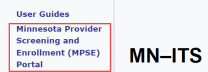
DHS also shows MPSE as a link in the left-hand MN-ITS navigation, which is the portal area Bomi uses after LoginMN and MN-ITS access are granted.
Screenshot source: DHS MPSE Manual: Registration and Access.
If the only task is a narrow organization-to-individual roster addition, Affiliations Provider Enroller on the group or location NPI/UMPI can be enough. For Bomi managing the provider’s account, enrollment record, portfolio information, or follow-up requests, grant Global Provider Enroller even if the immediate task is a roster addition.
What to Send Bomi After You Save
The practice or organization name exactly as it appears in MN-ITS or MPSE.
The provider NPI, UMPI, or portfolio identifier shown in MN-ITS or MPSE, if the screen showed one. Do not send a Bomi NPI or UMPI.
Confirmation that you assigned Global Provider Enroller as the MPSE role.
Whether you granted MN-ITS mailbox access or any other MN-ITS functions Bomi requested.
A note that the LoginMN registration email should arrive at [email protected]. Do not forward a password.
If Access Cannot Be Granted Quickly
Bomi can still discuss a fallback submission path with you. DHS allows MHCP enrollment documents to be submitted through MPSE or by fax for many enrollment workflows, and DHS processing timelines apply either way. The secure option is never to send a provider owner password; it is to grant delegated access, have the provider submit directly, or use an official non-portal submission path when available.
Where Bomi Fits
Bomi handles billing and credentialing operations for therapy practices, including Medicaid enrollment follow-up, roster additions, revalidation tracking, payer portal work, eligibility, claims, denials, and remittance review. We still separate portal access correctly: the practice keeps administrative control, and Bomi works through individual delegated accounts with only the access needed for the task.
Operational note: This is general operational education, not legal, compliance, or billing advice. Confirm current DHS, MHCP, MN-ITS, LoginMN, and MPSE requirements before submitting enrollment or affiliation requests.
Sources
Want Bomi to handle insurance billing?
Bomi helps therapy practices with benefit checks, claims, denials, balances, CAQH, attestations, and revenue management.
Talk to Bomi about billing